
How to Make a Twilight Effect for Drone Images
Learn how to turn a daytime drone photo into a realistic twilight image with warmer lighting, a darker sky and subtle property illumination, perfect for real estate marketing.
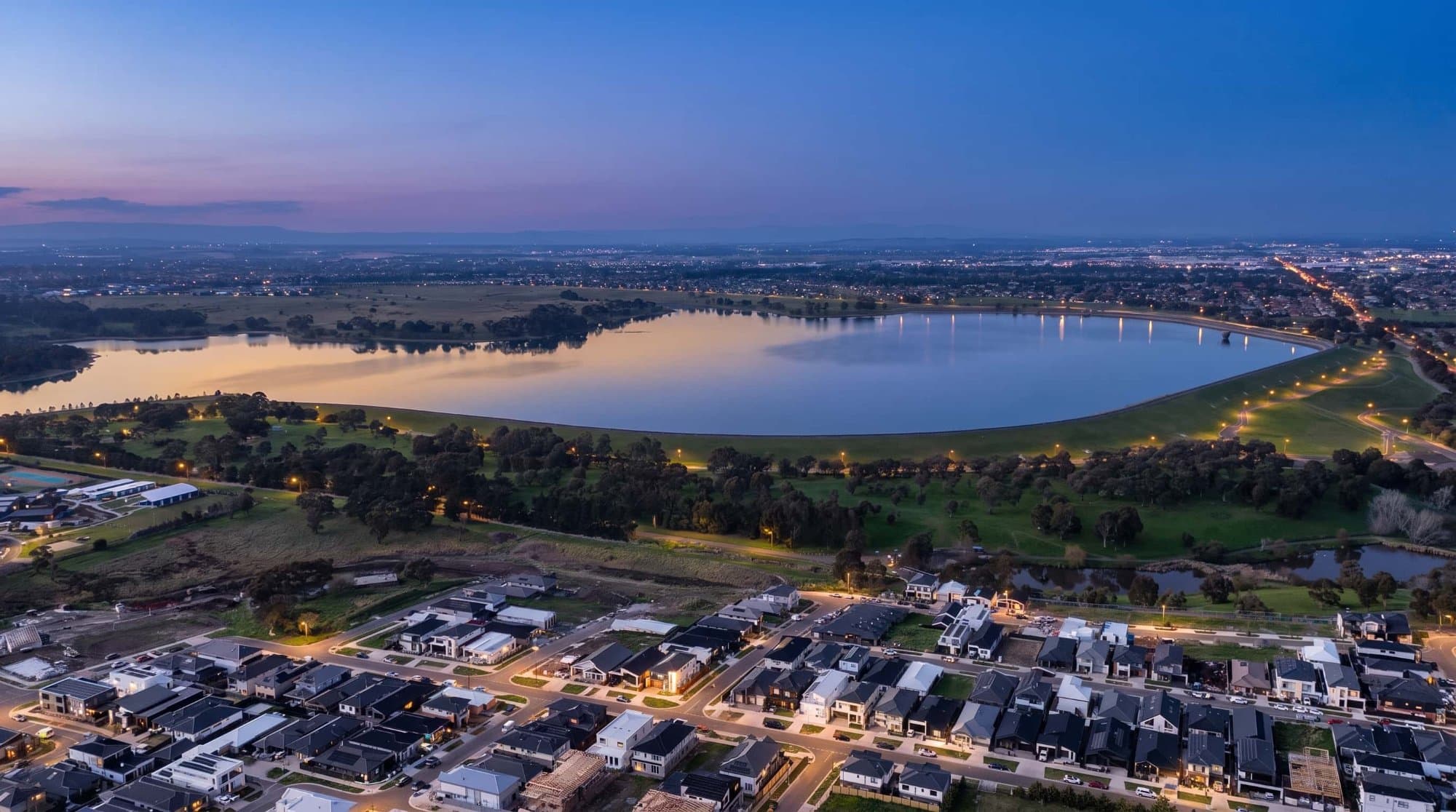
Twilight photos can make a property feel completely different.
The warm light, darker sky and illuminated windows can give an ordinary daytime aerial photo a much more premium look. The good news is you don't necessarily need to fly your drone again at sunset to create the effect.
With the right editing process, you can transform a daytime drone image into a convincing twilight marketing photo.
Start With a Good Daytime Drone Image
The original photograph makes a big difference.
Try to use a high-resolution image with good exposure and plenty of detail in the property. Images taken in harsh midday sunlight can be more difficult to turn into a realistic twilight scene.
A photo taken during the late afternoon or with softer lighting usually gives you more flexibility.
Darken the Sky First
The sky is one of the biggest things that makes a twilight image look convincing.
Instead of simply making the entire photograph darker, work on the sky separately.
Reduce the brightness and introduce deeper blue, purple or warm tones depending on the look you're going for.
You can also add a subtle gradient so the area around the horizon remains slightly brighter than the upper part of the sky.
The transition needs to look natural. A completely dark sky combined with bright daylight on the ground will immediately make the edit look artificial.
Warm Up the Property
Twilight isn't just about making an image darker.
The remaining sunlight should have a warm tone.
Adjust the white balance and highlights so the buildings, roads and landscaping have a softer golden appearance.
You can also add subtle warm light to areas that would naturally catch the last sunlight of the day.
Turn the Lights On
This is one of the most important parts of a real estate twilight image.
Windows, outdoor lights, pool lighting and other property lighting can help sell the effect.
If the original drone image was captured during the day, these lights may need to be added during editing.
Keep them subtle.
Windows shouldn't look like they're glowing bright orange. A soft warm glow generally looks much more realistic.
Add a Little Atmosphere
A small amount of atmospheric haze can help blend the different elements together.
You can introduce a subtle glow around the horizon and slightly soften distant objects.
Don't overdo it. Too much haze can make the image look foggy rather than like a natural evening photograph.
Creating a Twilight Image With AerialPin
If you're creating drone images specifically for real estate marketing, AerialPin can also be used as part of the workflow for annotating and preparing your aerial images.
For the actual twilight transformation, you can use an AI image editing tool to change the lighting and time of day while keeping the original property, composition and camera angle intact.
The important part is giving the AI clear instructions to preserve the existing buildings, landscaping, roads, property boundaries and perspective rather than generating a completely different scene.
Once the twilight version is created, you can bring it into AerialPin to add property boundaries, labels and nearby points of interest.
Don't Change the Property
One of the easiest ways to make an AI twilight edit look fake is allowing the AI to modify the actual property.
The house should remain the same.
The roof should remain the same.
The driveway, pool, landscaping and surrounding roads should remain in the same position.
You're changing the lighting and atmosphere, not redesigning the property.
This is particularly important for real estate marketing because the final image still needs to accurately represent the property being advertised.
A Simple Twilight Workflow
A practical workflow can look like this:
Daytime drone photo → AI twilight edit → Check the property → Add boundary and annotations → Export
Start with the original high-resolution drone image, create the twilight version, check that nothing important has changed, and then add your property boundary and other aerial annotations.
This gives you the polished look of a twilight marketing image while still keeping the useful information from your original aerial photograph.
Make the Twilight Look Real
The best twilight edits aren't the darkest ones.
They're the ones where you can still see plenty of detail while getting that warm evening atmosphere.
Keep the sky natural, make the property lighting believable and avoid extreme colours.
A good twilight edit should make someone think:
“That looks like it was actually photographed at sunset.”
rather than:
“That looks like an AI filter.”
For real estate photographers, combining AI editing with a dedicated aerial annotation workflow can make it much easier to produce polished drone marketing images without having to reshoot every property at the perfect time of day.
Try AerialPin to add property boundaries, labels and points of interest to your finished aerial images.